Close Session Dialog
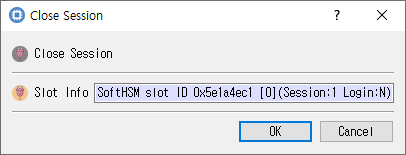
Controls for closing a session or all sessions on the selected token.
Purpose
Closes the selected session, or closes all sessions for the selected token. The dialog title changes to Close Session or Close All Sessions to show which operation was requested.
Displayed information
| Control | Description |
|---|---|
| Slot Info | Read-only information for the selected slot/token. |
Buttons
| Button | Description |
|---|---|
| OK | Performs the selected close operation. On success, CryptokiMan clears its recorded session handle and login state. |
| Cancel | Closes the dialog without requesting the operation. |
If the Cryptoki call fails, the dialog displays an error and remains open. Closing a session ends operations associated with that session.