Change PIN Dialog
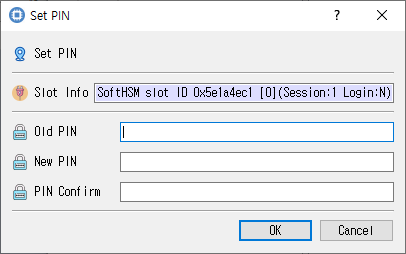
Fields for entering the current PIN and confirming a new PIN.
Purpose
Changes a token PIN by supplying the current PIN and confirming a new PIN.
Fields and controls
| Control | Description |
|---|---|
| Set PIN | Input or information related to Set PIN for the current dialog operation. |
| Slot Info | Read-only information identifying the selected token slot. |
| New PIN | Input or information related to New PIN for the current dialog operation. |
| Old PIN | Input or information related to Old PIN for the current dialog operation. |
| PIN Confirm | Confirmation entry; it should match the PIN. |
Typical use
Enter the current PIN, enter the new PIN twice, and submit the change.
Notes
Use the selected slot and session shown in Slot Info. Results depend on the PKCS #11 module, token support, object permissions, and entered values. CryptokiMan and/or the module reports operation errors.