Initialize Token Dialog
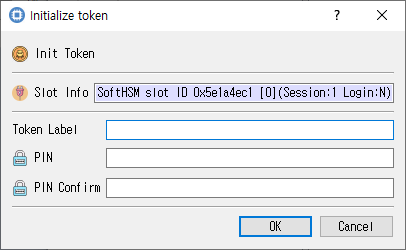
Token label and security-officer PIN fields.
Purpose
Initializes the selected token with a label and security-officer PIN. Initialization may erase existing token data.
Fields and controls
| Control | Description |
|---|---|
| Init Token | Input or information related to Init Token for the current dialog operation. |
| Slot Info | Read-only information identifying the selected token slot. |
| PIN Confirm | Confirmation entry; it should match the PIN. |
| PIN | PIN for the selected token role. |
| Token Label | Input or information related to Token Label for the current dialog operation. |
Typical use
Select the slot, enter and confirm the security-officer PIN, provide a token label, and initialize the token.
Notes
Use the selected slot and session shown in Slot Info. Results depend on the PKCS #11 module, token support, object permissions, and entered values. CryptokiMan and/or the module reports operation errors.